To get traffic from Pinterest, you must treat the platform as a visual search engine rather than a traditional social network. Instead of chasing short-lived feed engagement or follower counts, creators and website owners earn sustainable, compound outbound clicks by aligning destination content with active search intent, producing differentiated Pin variations for key articles, and maintaining a steady publishing rhythm.
ClickToPin supports this complete growth loop: discover validated search opportunities in Radar, organize your publishing calendar in Planner, generate multi-angle Pin designs and search copy in Workspace, and manually publish fresh Pins over time.
Key Takeaways: Pinterest Traffic at a Glance
- ✓Evergreen Lifespan: High-intent Pins drive compounding outbound traffic for 6–24+ months, unlike social feeds that decay within 24 hours.
- ✓Multi-Angle Distribution: Publish 5 distinct visual angles per article (Hero, Detail, Listicle, Checklist, Question) to capture different searchers.
- ✓Paced Posting: Space Pin publishing across days to maintain high account authority and avoid spam penalties.
How Pinterest drives website traffic
Pinterest operates as an intent-driven discovery engine where over 500 million monthly active users search for ideas, tutorials, recipes, products, and solutions. Unlike chronological feeds on platforms like Instagram or X (where posts lose visibility within hours), Pinterest Pins have an evergreen lifespan: a search-optimized Pin can continue driving qualified outbound traffic to your website for months or even years.
| Traffic Channel | Discovery Model | Content Lifespan | User Intent | Conversion Path |
|---|---|---|---|---|
| Pinterest Organic | Visual search & guided intent suggestions | Months to years (compound search decay) | High (planning projects, shopping, learning) | Direct outbound link on every standard Pin |
| Google Organic SEO | Text search SERP indexing | Months to years (domain authority dependent) | High (informational & transactional) | Direct search result click to webpage |
| Social Feeds (IG/X) | Algorithmic chronological timeline | 24 to 48 hours | Passive entertainment & browsing | Friction-heavy ("link in bio" or story links) |
The organic Pinterest traffic loop
Generating sustainable traffic from Pinterest follows a clear 5-phase loop:
[1. SEARCH INTENT] ➔ [2. DESTINATION VALUE] ➔ [3. MULTI-ANGLE PINS] ➔ [4. PACED POSTING] ➔ [5. PERFORMANCE FEEDBACK]
- Search Intent: Find what your audience is actively typing into the Pinterest search bar.
- Destination Value: Publish in-depth, helpful articles or product pages that fulfill that search need.
- Multi-Angle Pins: Generate 5 distinct creative angles for each article to appeal to different psychological triggers.
- Paced Posting: Schedule Pin distribution across days and weeks rather than flooding boards at once.
- Performance Feedback: Analyze which titles, image styles, and boards generate outbound clicks, then double down on winners.
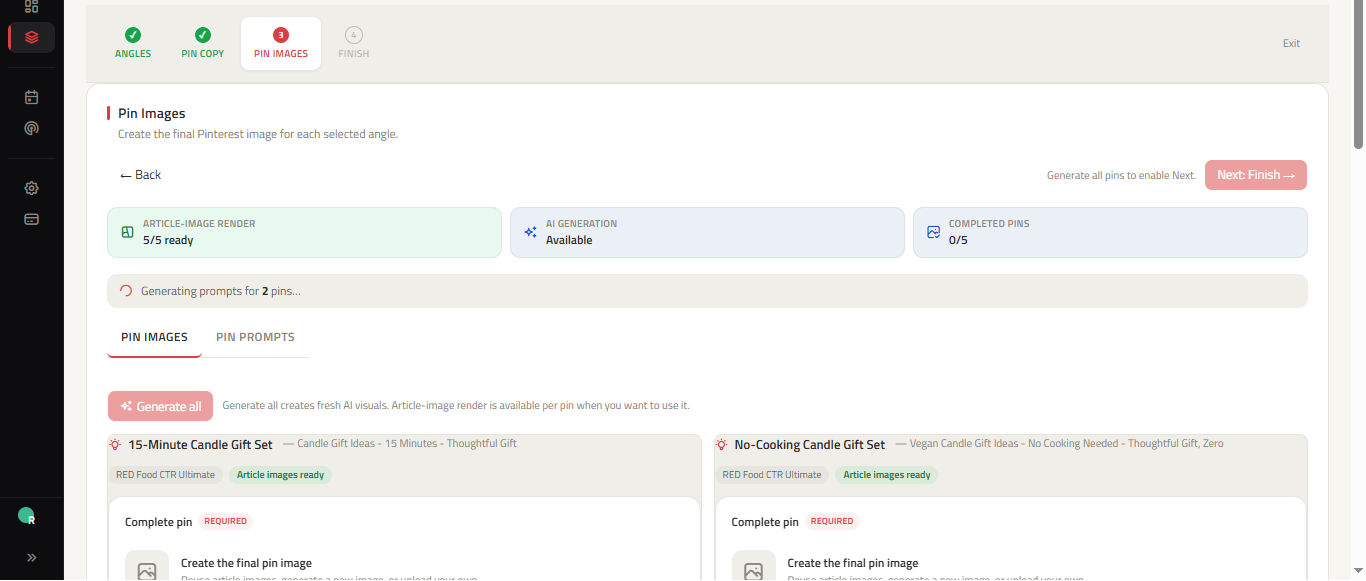
Step 1: Discover high-intent search keywords
Successful Pinterest traffic begins with verified search demand. If you design Pins around topics nobody is searching for, your impressions and outbound clicks will remain near zero regardless of visual quality.
Use Radar or our Pinterest Keyword Research Tool to search core business terms in your niche. Look for specific, long-tail phrases that indicate strong action intent:
- Broad discovery queries:
dinner ideas(High competition, general browsing). - Specific solution queries:
easy instant pot dinner recipes for family(High intent, clear problem, strong click-through rate).
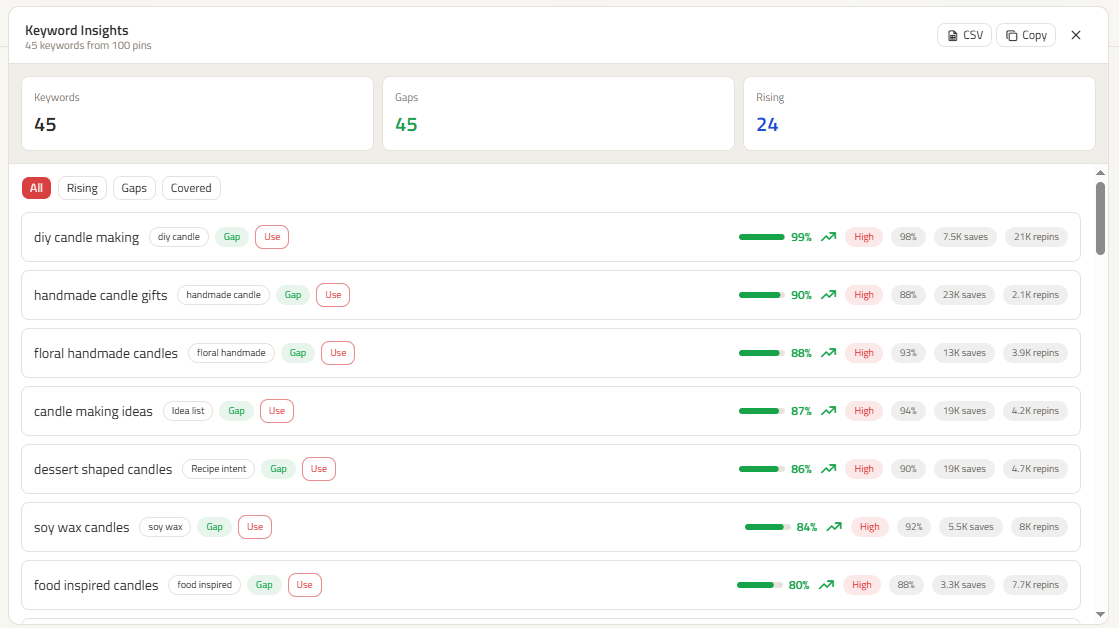
Step 2: How to get Pinterest traffic to your blog
Bloggers and content publishers represent one of the most successful groups on Pinterest because blog posts naturally answer search queries. To convert Pinterest searchers into engaged blog readers:
1. Optimize for reader retention
Ensure your blog post loads quickly on mobile devices and provides the direct answer within the first two paragraphs. Pinterest users click from mobile apps and will bounce immediately if confronted with aggressive interstitial popups or slow-loading assets.
2. Add high-contrast vertical Pin images to your post
Embed standard 2:3 vertical Pin images (1000x1500px) directly inside your blog post with clear alt text and descriptive captions so that site visitors can easily save your article to their own Pinterest boards.
3. Match search intent to article structure
If your Pin promises a step-by-step tutorial, the blog post must feature clear H2 headings, ingredient/tool checklists, and actionable instructions. Mismatches between Pin headlines and blog page content hurt bounce rates and engagement signals.
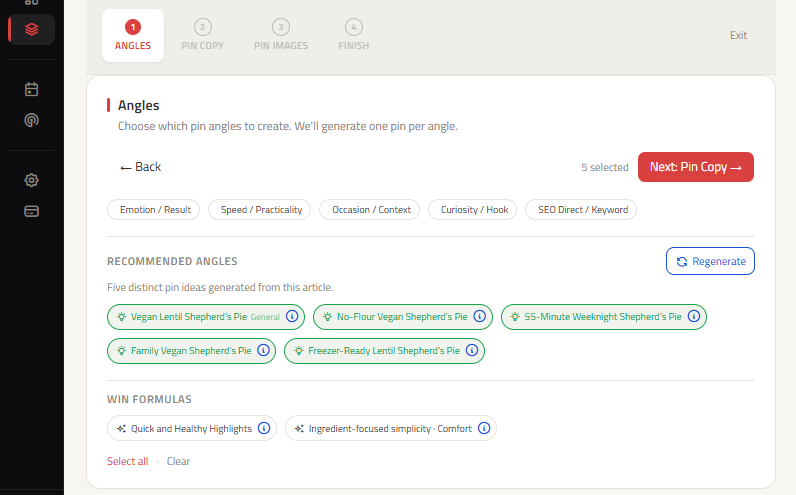
Step 3: Create 5 distinct Pin angles for every article
Publishing only one Pin per blog post limits your potential reach. Different searchers respond to different visual and psychological triggers. For each core article or product page, create 5 distinct Pin angles:
| Pin Angle | Psychological Trigger | Headline Focus | Example (Sourdough Bread Guide) |
|---|---|---|---|
| 1. Search / SEO | Direct keyword clarity | Clear, literal query answer | Beginner Sourdough Bread Recipe: Step-by-Step |
| 2. Benefit / Result | Time savings or ease | Specific tangible outcome | No-Knead Sourdough: Perfect Crust in 4 Simple Steps |
| 3. Audience / Identity | Specific skill level or situation | Targeted demographic hook | First-Time Baker Sourdough Guide (Foolproof Method) |
| 4. Sensory / Visual | Appetite, texture, aesthetic | Descriptive visual hook | Ultra-Crispy Artisan Sourdough with Golden Crust |
| 5. Method / Alternative | Unique technique or tool | Specific tool or constraint | Dutch Oven Sourdough: How to Get Bakery-Quality Rise |
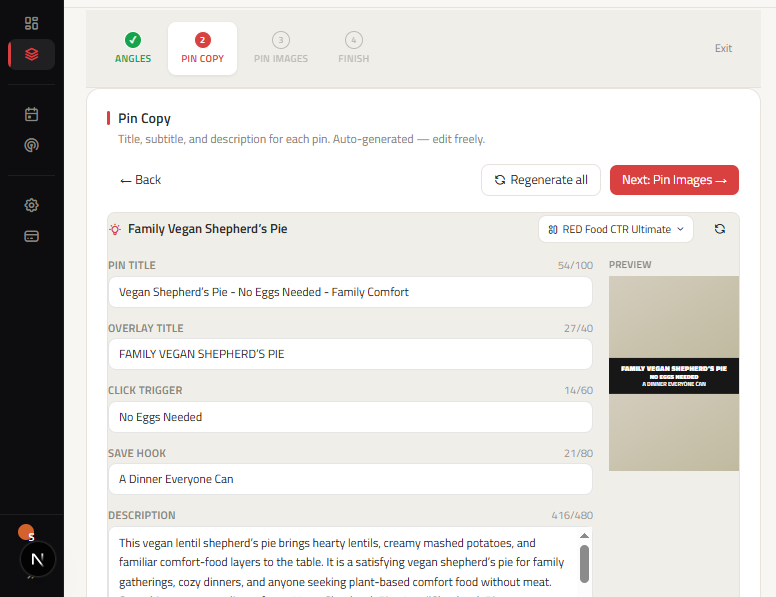
Use our Pinterest Pin Ideas Generator to turn any destination URL into 5 coordinated concepts, then generate targeted headlines using our Pinterest Title Generator and contextual descriptions with our Pinterest Description Generator.
Step 4: Design high-converting 3-zone Pins
Pinterest is a visual search platform where images are indexed by visual machine learning models. High-converting Pins follow a standard 3-zone visual anatomy:
- Top Zone (Brand & Category Hook): Subtle logo or topic category header that anchors context without obstructing visuals.
- Middle Zone (High-Contrast Hero Visual): 2:3 vertical graphic (1000x1500px) formatted using our Pinterest Pin Generator that illustrates the subject matter with natural lighting.
- Bottom Zone (Text Overlay & Action Trigger): Large, high-contrast typography with a compelling reason to click (e.g., "Get the 15-Minute Checklist" or "Read Full Recipe").
Step 5: Pace your posting cadence in Planner
A common mistake that triggers spam filters is publishing 20 Pins all at once. Pinterest's algorithm favors consistent, paced activity.
Instead of batch-blasting:
- Space out your 5 Pin angles over 7 to 14 days.
- Assign each Pin angle to the most relevant board first, then secondary niche boards later.
- Schedule your workflow in Pinterest Content Planner so you know exactly what to manually publish each day.
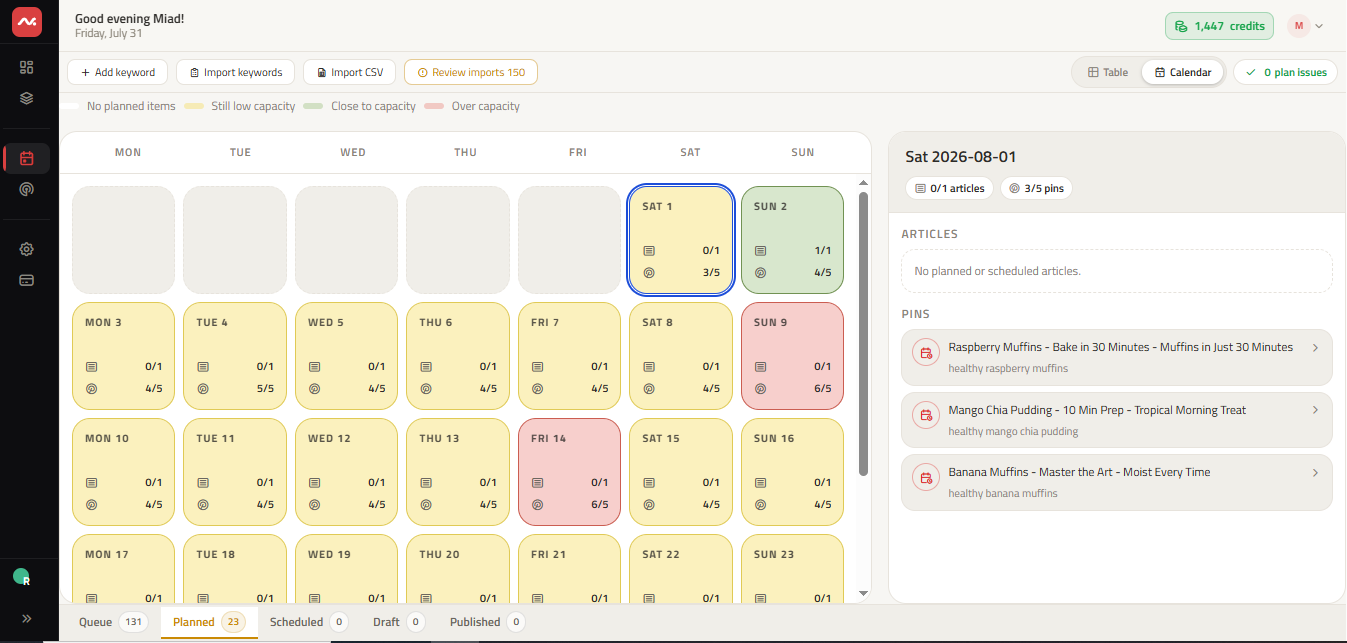
Free Spreadsheet Template
Download the 30-Day Pinterest Content Calendar (.CSV)
Use our structured planning template with columns for planned dates, destination URLs, keywords, board routing, and 5-angle creative types.
Download Calendar Template (.CSV)What to do if your Pinterest traffic stalls
Pinterest traffic growth is not linear. Seasonal shifts, algorithm updates, and creative fatigue can lead to periodic fluctuations in impressions or outbound clicks.
When reviewing your performance:
- Falling impressions with stable CTR: Search demand may be shifting seasonally, or older Pin visuals may need fresh keyword variations.
- High impressions but low outbound clicks: The Pin image is catching attention, but the headline or overlay lacks a clear incentive to visit your website.
- Discrepancies between Pinterest Analytics and Google Analytics: Ensure your tracking parameters (UTM tags) are configured properly and remember that in-app browser sessions can drop tracking cookies.
For a detailed step-by-step diagnostic breakdown, explore our guide on Pinterest Traffic Drops to isolate root causes and execute a structured recovery plan.
Frequently asked questions
How long does it take to get traffic from Pinterest?
New Pinterest accounts and newly published Pins typically require 4 to 12 weeks to build momentum in search indexing. As users save your Pins to their boards, the algorithm gains more engagement signals, driving compounding traffic over months.
How many Pins should I publish per day?
For most creators and website owners, 3 to 10 high-quality, fresh Pins per day across relevant boards provides steady distribution without triggering platform spam flags. Consistency over months matters far more than high-volume daily bursts.
Do I need a Pinterest Business Account to get website traffic?
Yes. A free Pinterest Business Account allows you to claim your website domain, access native Pinterest Analytics, enable Rich Pins, and track outbound click performance accurately.
What is the difference between Pinterest impressions and outbound clicks?
Impressions measure how many times your Pin appeared on a user's screen in their home feed, search results, or related Pins. Outbound clicks measure the number of times a user tapped through to visit your actual website URL. Outbound clicks represent true referral traffic.
Build your Pinterest traffic engine
Start turning researched search demand into sustainable website traffic with ClickToPin's integrated keyword discovery, content planning, and multi-angle Pin creation workflows.