A Pinterest title generator creates search-optimized, high-CTR headlines designed for Pinterest's visual feed and search algorithm. Unlike generic social media captions, a high-converting Pinterest title balances search keyword prominence with a clear emotional click trigger, helping your Pins rank in search results and stand out in the mobile grid.
ClickToPin automates Pin title generation directly from your articles, producing 3-segment headlines structured to maximize mobile visibility and click-through rates.
Test 3-Segment High-CTR Pin Headlines
Enter your target topic or article keyword to generate 3 search-optimized, high-CTR Pinterest title variations instantly:
7 Easy Chocolate Chip Cookies Secrets That Actually Work (No Fluff)
How to Get Perfect Chocolate Chip Cookies Every Single Time at Home
The Ultimate Chocolate Chip Cookies Blueprint for Busy People in 2026
Want 5 full Pin packages (Title + Description + Image Prompt + Overlay Safe-Zone) automatically generated for your entire article?
Open Workspace →What is a Pinterest title generator?
A Pinterest title generator is an AI-assisted copywriting tool that creates headlines specifically optimized for Pinterest search indexing and user click behavior. It structures titles using primary keywords, numerical proof, and emotional qualifiers within Pinterest's 100-character limit, ensuring that the first 30 to 40 characters clearly communicate value on mobile screens.
The 3-segment high-CTR Pinterest title formula
High-performing Pinterest titles follow a proven 3-part structure that satisfies both the visual search algorithm and human curiosity:
[PRIMARY KEYWORD] - [PROOF OR NUMBERED RESULT] - [EMOTIONAL HOOK]
| Segment | Character Target | Strategic Purpose | Example (Instant Pot Beef Stew) |
|---|---|---|---|
| 1. Primary Keyword | 20–35 characters | Immediate search indexing & mobile feed visibility | Easy Instant Pot Beef Stew |
| 2. Concrete Proof | 15–25 characters | Tangible constraint, speed, or result | Ready in 45 Minutes |
| 3. Emotional Hook | 20–30 characters | Curiosity trigger & save motivation | Fall-Apart Tender |
Mobile visibility: The 35-character rule
Pinterest allows up to 100 characters for Pin titles, but mobile feeds frequently truncate titles after the first 30 to 40 characters. If your primary keyword is placed at the end of a long headline, searchers browsing on mobile phones will not see it.
When using our title generator inside Workspace, always place your primary search term from our Pinterest Keyword Research Tool at the beginning of the title string.
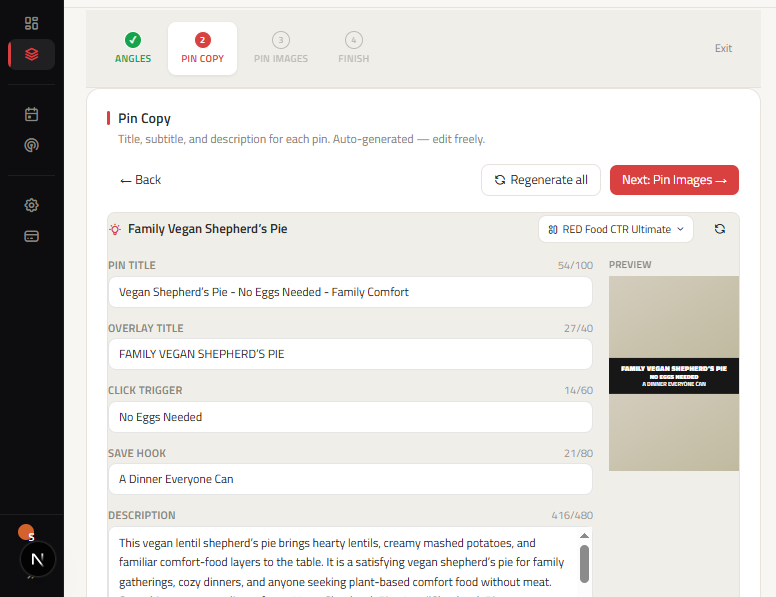
How to generate and review Pinterest titles
- Start with your article: Import or write your article in ClickToPin Workspace.
- Generate angle titles: Use the Pinterest Pin Ideas Generator to establish 5 distinct marketing directions.
- Review title formulas: Verify that each title includes your target keyword and a specific benefit.
- Coordinate with Pin copy: Align the title with your description and text overlay in Pinterest Pin Copy.
- Format visuals: Render vertical graphics using the Pinterest Pin Generator formatted to standard Pinterest Pin size.
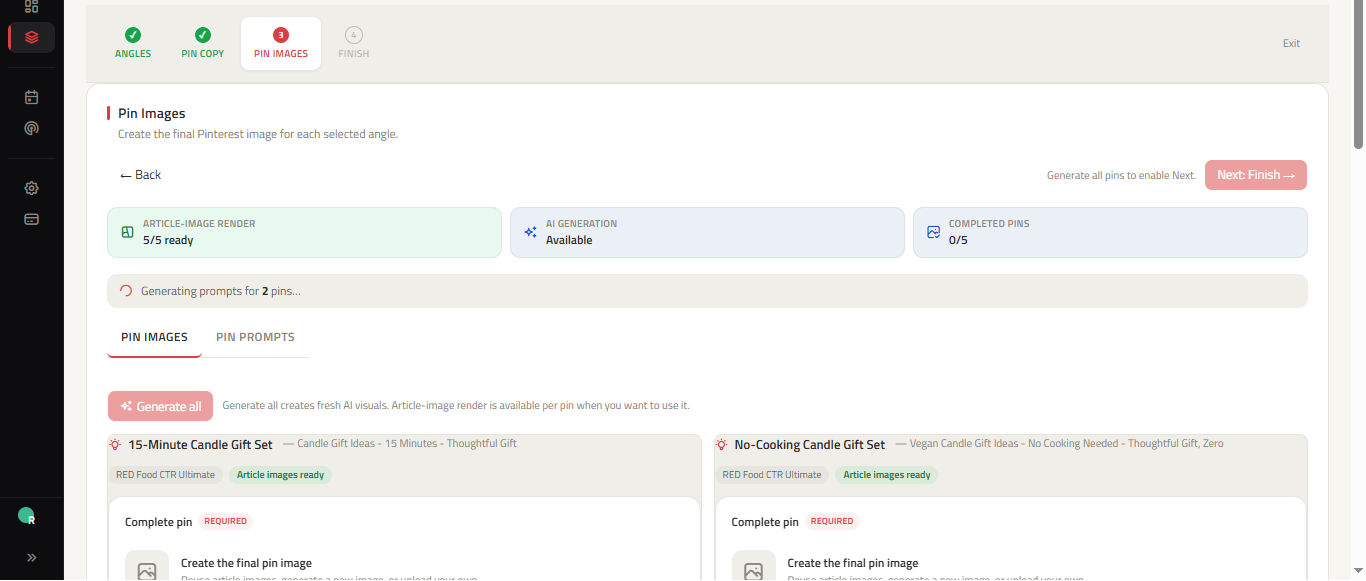
Frequently asked questions
What is the maximum character length for Pinterest titles?
Pinterest allows up to 100 characters for Pin titles. However, the most critical 30 to 40 characters should contain your primary keyword and core value proposition to prevent truncation on mobile devices.
Should every Pin title for an article be identical?
No. Creating distinct titles for each Pin angle helps you capture different search queries and tests which headline formula generates the highest click-through rate.
Does ClickToPin post my titles automatically?
No. All generated titles, descriptions, and visuals are organized in your Pinterest Content Planner for scheduled manual publishing.
Generate high-CTR Pinterest titles
Turn your destination articles into search-optimized Pin titles that rank higher in Pinterest search and drive qualified website traffic.