Building a sustainable Pinterest growth engine requires an intentional, repeatable Pinterest content workflow. Many publishers struggle with Pinterest because they post haphazardly or rely on spammy automation tools that trigger shadowbans. The proven methodology is built on four core phases: Plan, Create, Post, and Learn.
ClickToPin is designed around this exact stealth strategy, giving creators an end-to-end system to turn researched ideas into scheduled, manual pins that compound outbound traffic.
The 4-Phase Pinterest Content Workflow
[PLAN] ➔ [CREATE] ➔ [POST] ➔ [LEARN]
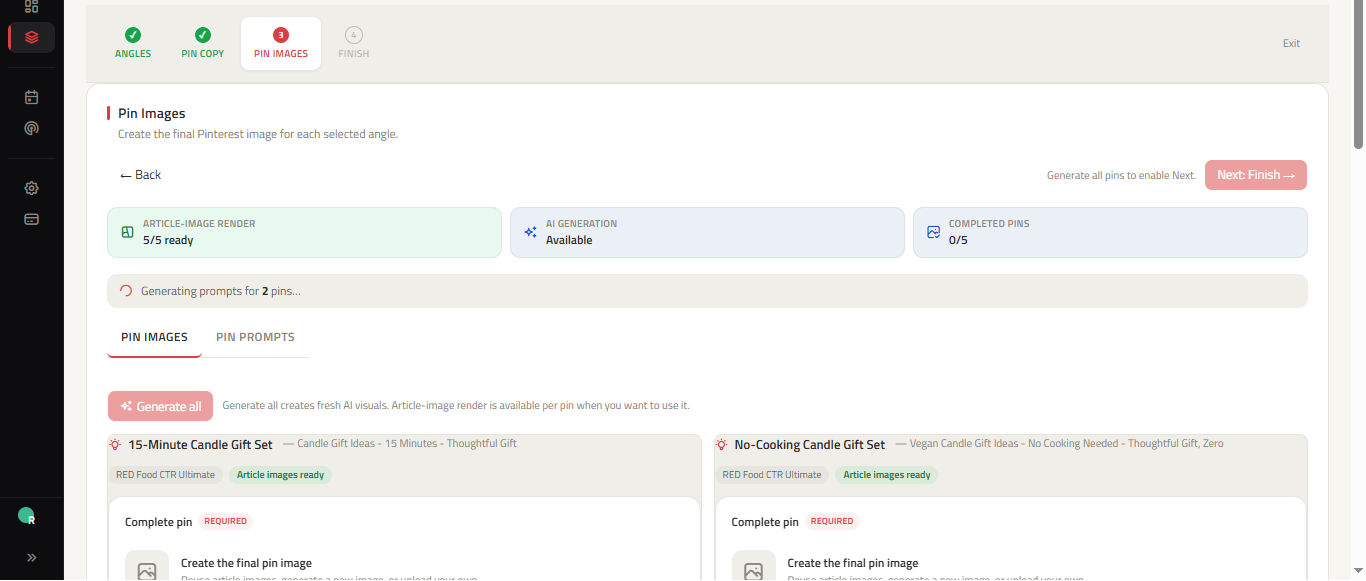
| Workflow Phase | Key Activities | Primary ClickToPin Tool |
|---|---|---|
| 1. PLAN | Keyword research, topic discovery, calendar scheduling | Radar & Planner |
| 2. CREATE | 5-angle Pin copy, 2:3 vertical visuals, SEO metadata | Workspace Studio |
| 3. POST | Paced manual distribution, board targeting, stealth posting | Today Surface |
| 4. LEARN | Outbound click tracking, angle performance, iteration | Analytics & Pulse |
Phase 1: Plan with validated search intent
Never create Pins without verified search demand. Use Pinterest Keyword Research to identify active search phrases. Map keywords to specific calendar days in Planner using our free Pinterest Content Calendar Template to ensure consistent, sustainable publishing distribution across your target niche boards.
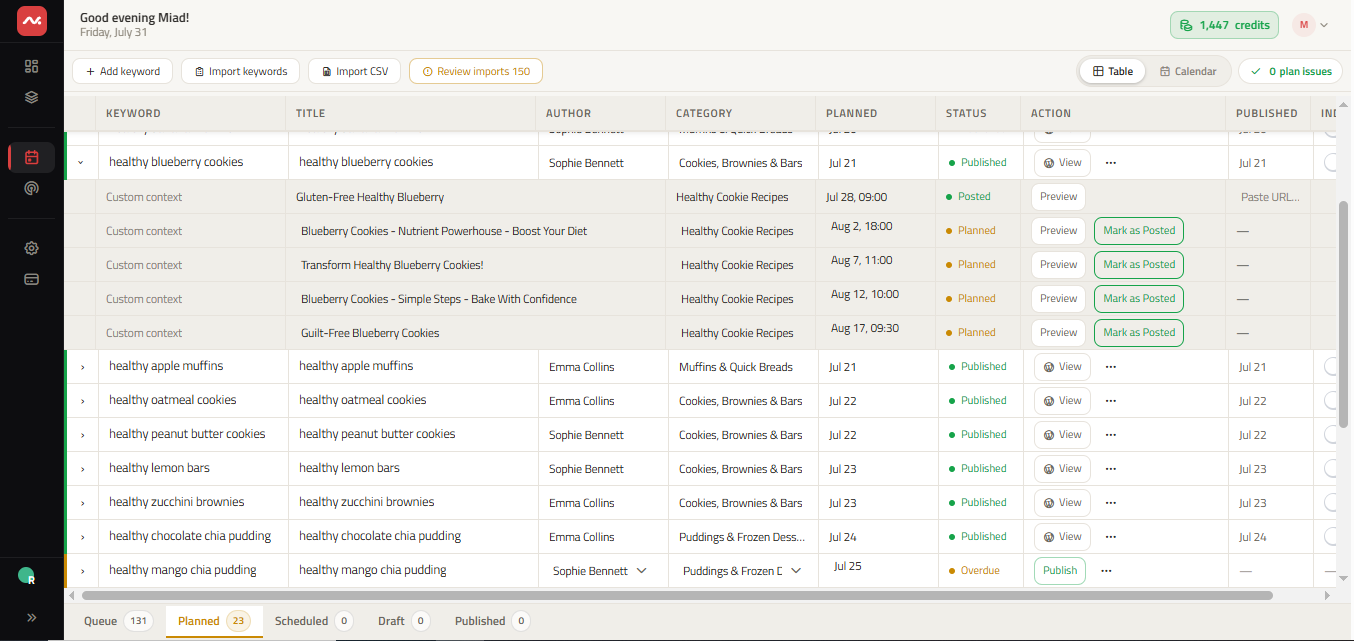
Phase 2: Create multi-angle Pin variations
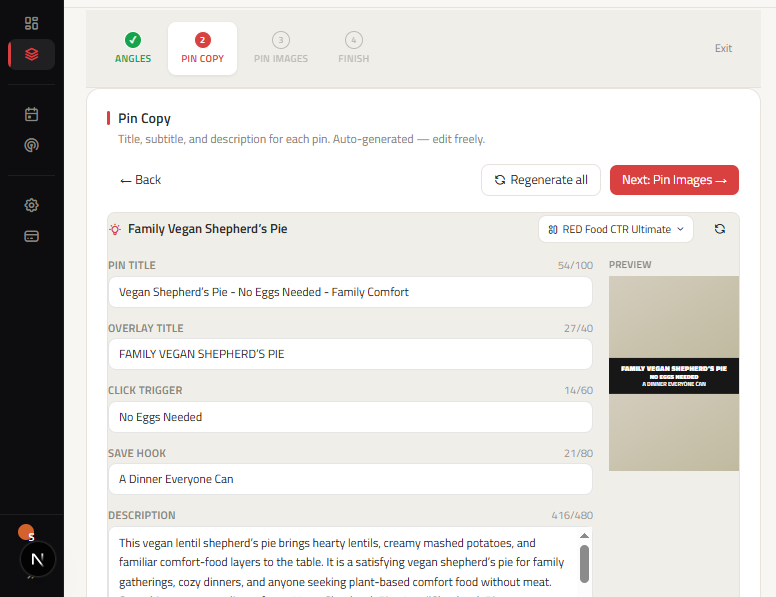
For every destination article or product page, generate 5 distinct Pin variations across search lanes:
- SEO Hook: Target primary search queries directly.
- Curiosity Gap: Spark intrigue that requires clicking through.
- Speed / Simplicity: Highlight quick execution times.
- Visual / Sensory: Emphasize aesthetic appeal and high-contrast imagery.
- Persona Focus: Direct copy at specific customer segments.
Phase 3: Post with intentional pacing
Avoid bulk-blasting 20 Pins in one hour. Space your 5 Pin variations across 7 to 14 days. ClickToPin's Today Queue notifies you when each Pin is due, letting you copy optimized copy and publish natively in under 2 minutes.
Phase 4: Learn and refine
Review performance weekly. Identify which visual styles, headline formulas, and target boards generate the highest outbound click-through rates, and double down on winning formats.
Frequently asked questions
Why is manual posting recommended over automated bulk-posting?
Pinterest's spam detection algorithms aggressively penalize API-driven bulk posting. Native manual posting via the Pinterest app preserves account trust and ensures maximum organic feed distribution.
How many Pins should I create per article?
Creating 3 to 5 differentiated Pin angles per article allows you to test multiple search intents and visual hooks without producing duplicate content.