A Pinterest content planner helps creators, bloggers, and businesses organize their keyword opportunities, articles, multi-angle Pins, and publishing dates in a centralized editorial calendar. Instead of managing disorganized spreadsheets or relying on risky third-party auto-schedulers, a structured planner coordinates the entire content lifecycle from initial topic research to final manual posting. You can also start immediately with our ready-to-use Pinterest Content Calendar Template.
ClickToPin centralizes your content calendar with dual Table and Calendar views, tracking each Pin from draft to published while keeping your brand consistent and compliant with Pinterest platform rules.
What is a Pinterest content planner?
A Pinterest content planner is an editorial scheduling and organization tool that manages the pipeline of topics, destination articles, and multi-angle Pins before publication. It allows creators to assign target boards, set scheduled publishing dates, monitor status workflows (Idea, Draft, Ready, Posted), and space fresh pins over time to maximize organic search distribution without triggering spam algorithms.
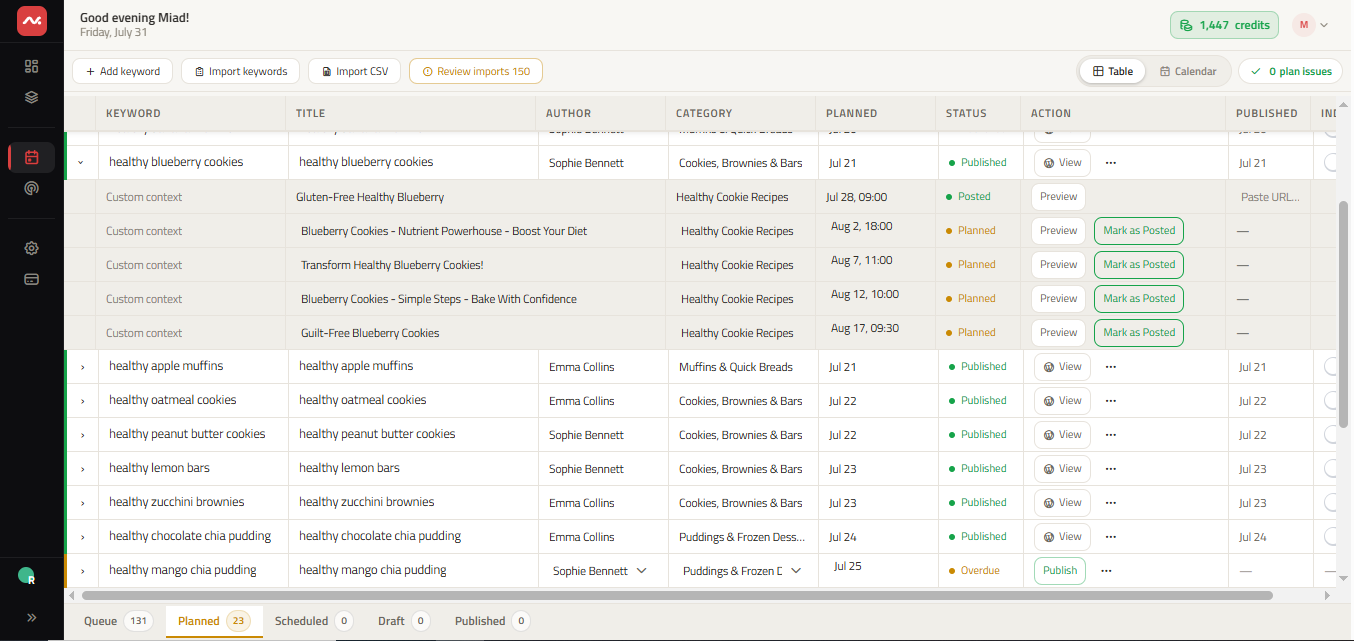
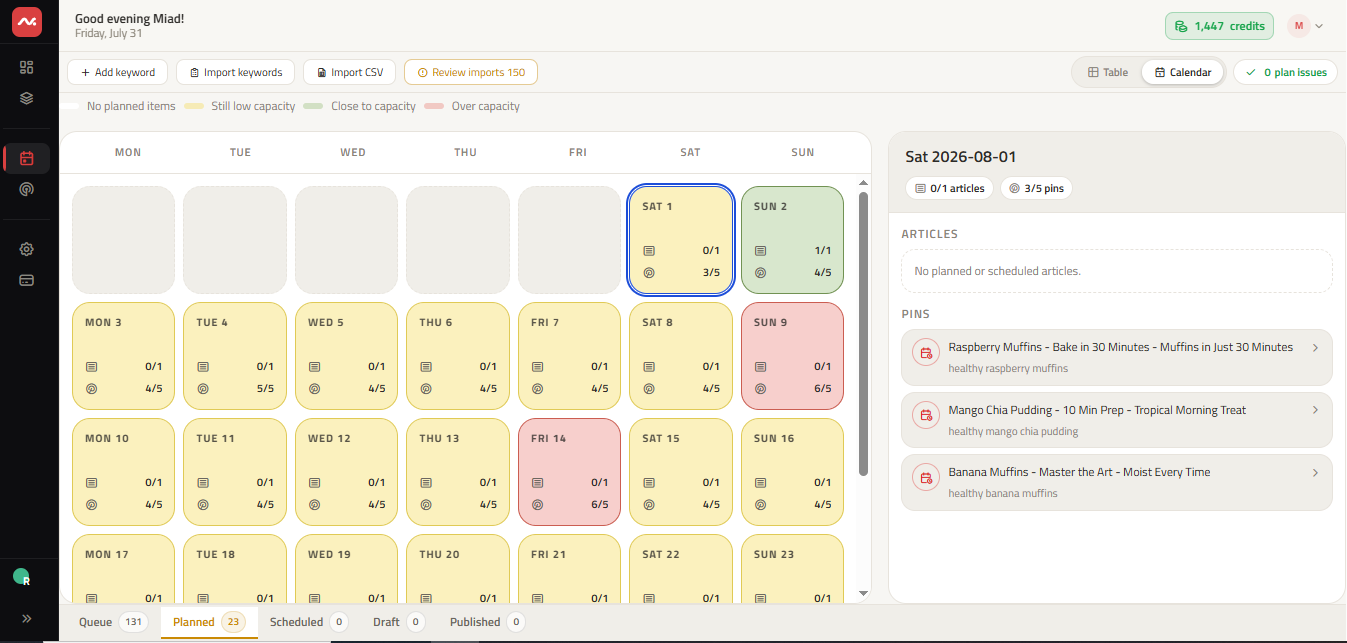
Dual planning views: Table and calendar
ClickToPin provides two specialized interfaces designed for different stages of the content planning process:
| Planning View | Core Capabilities | Best For |
|---|---|---|
| Table View | Batch editing, status tracking, board assignment, and topic categorization | Bulk queue management & content audits |
| Calendar View | Drag-and-drop date scheduling, posting density visualization, and overdue alerts | Daily publishing routines & pacing |
Why spacing Pins beats automated bulk publishing
Posting 20 pins in a single burst can trigger Pinterest's spam detection filters and waste valuable fresh pin reach. Spacing your pins over several days or weeks delivers three critical benefits:
- Consistent Algorithm Activity: Pinterest rewards accounts that publish fresh, relevant content consistently over time.
- Extended Content Lifespan: Staggering different angles for the same article keeps that topic active in the home feed and search results for months.
- Intentional Quality Control: Manual posting gives you the opportunity to review final board selections, tags, and visuals on your mobile device before publishing.
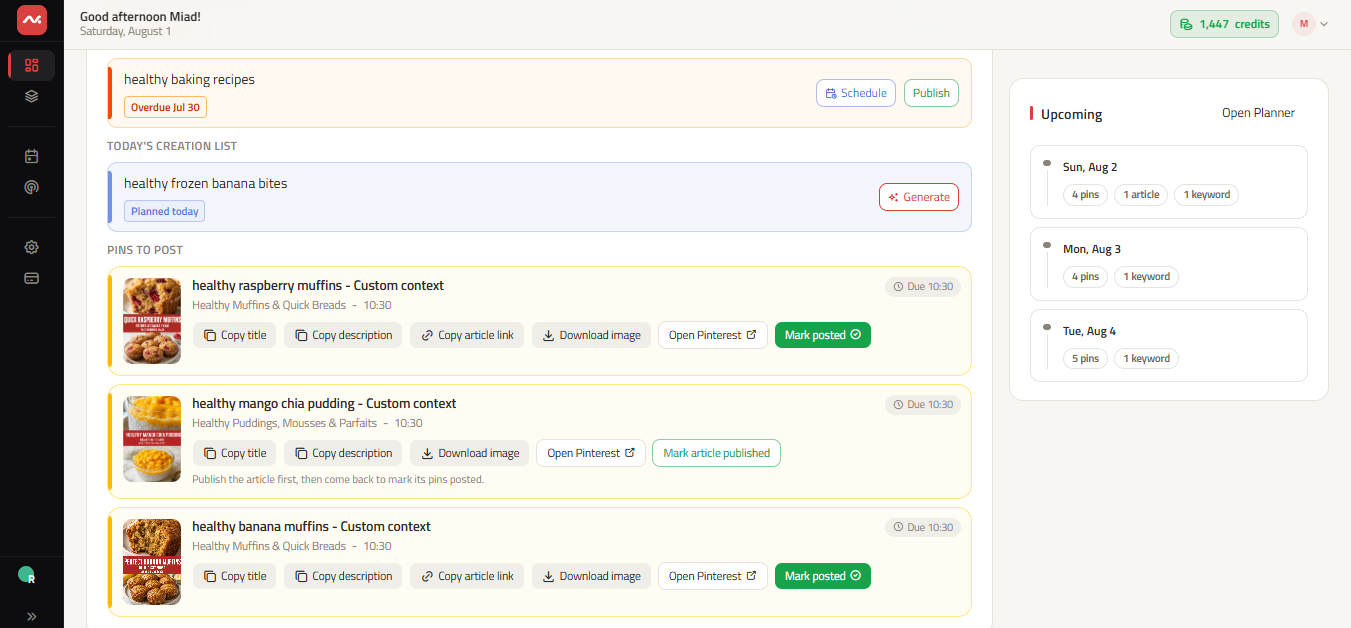
Daily posting routine: The Today queue
ClickToPin centralizes daily execution with a dedicated Today queue that aggregates due and overdue pins across all your managed brands. When a scheduled posting date arrives, review the final visual on your phone or desktop, copy the verified title and description, and publish directly to your Pinterest board.
The complete planning-to-posting workflow
- Discover opportunities: Research verified search phrases using the Pinterest Keyword Research Tool.
- Move ideas to Planner: Queue high-potential topics into your editorial pipeline.
- Generate angles and copy: Build 5 distinct creative angles with the Pinterest Pin Ideas Generator and craft coordinated copy with Pinterest Pin Copy.
- Create vertical visuals: Render 2:3 graphics via the Pinterest Pin Generator formatted to optimal Pinterest Pin size.
- Schedule and publish: Assign spaced dates in your calendar and publish manually when each date arrives.
Frequently asked questions
Does the ClickToPin content planner automatically post to Pinterest?
No. ClickToPin uses an intentional manual posting model. You organize your queue, receive scheduled notifications when pins are ready, and post directly to your verified Pinterest boards, keeping your account 100% safe from API bans.
Can I plan content for multiple Pinterest brands or niches?
Yes. ClickToPin supports multi-brand workspaces, allowing you to maintain separate editorial calendars, brand languages, and board structures for each website or business.
How far in advance should I plan Pinterest content?
We recommend planning seasonal content (such as holiday gifts, summer recipes, or back-to-school guides) 45 to 60 days in advance, as Pinterest users begin searching for ideas well before each season begins.
Organize your Pinterest content calendar
Take control of your publishing schedule. Plan topics, generate Pins, and build a consistent organic traffic system with ClickToPin.