A Pinterest image prompt generator produces detailed, multi-zone prompts tailored for modern AI image generators (such as Midjourney, Stable Diffusion, and FLUX). Unlike generic landscape prompts, a high-converting Pinterest prompt enforces a 2:3 vertical composition, natural directional lighting, and dedicated negative space for readable text overlays.
ClickToPin automates image prompt generation based on your destination article and brand style settings, rendering photographic and illustrative pin assets that look professional and rank in Pinterest visual search.
Generate Multi-Zone Pinterest AI Prompts
Configure subject details, photography styles, and AI target engines to generate 2:3 vertical prompts with built-in text safe-zones:
high-end commercial food photography of Iced Matcha Latte, appetizing close-up with glistening texture and fresh garnishes, bright natural directional window light, soft warm highlights, subtle organic shadows, overhead 45-degree angle shot, top 35% reserved with clean negative space for headline typography. --ar 2:3 --v 6.1 --style raw --q 2
Want AI to generate image prompts, render vertical graphics, and apply overlay text automatically?
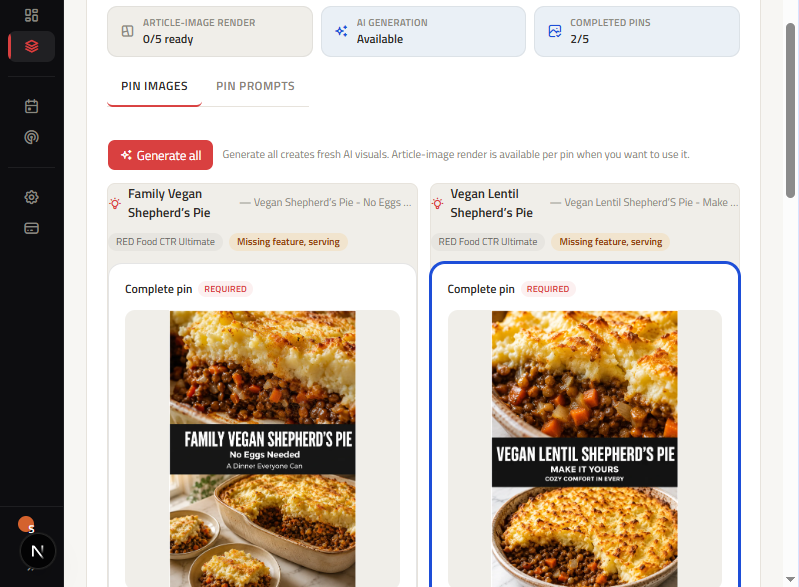
ClickToPin Workspace handles the entire visual pipeline from article draft to 5 ready-to-post 2:3 Pins.
What is a Pinterest image prompt generator?
A Pinterest image prompt generator creates structured text instructions for AI image synthesis models, specifically configured for Pinterest's 2:3 vertical aspect ratio and visual search requirements. It specifies camera angles, macro depths of field, styling details, and dedicated visual safe zones, ensuring that generated graphics accommodate bold text overlays without obscuring the central subject.
The multi-zone Pinterest AI prompt formula
Professional Pinterest visuals require deliberate composition so that headline text overlays and food/product photography do not compete for attention. High-performing prompts follow a structured 5-part architecture:
[SUBJECT & ACTION] + [ENVIRONMENT & PROPS] + [LIGHTING & MOOD] + [CAMERA & COMPOSITION] + [ASPECT RATIO & QUALITY]
| Prompt Element | Configuration Rule | Example (Berry Chia Pudding) |
|---|---|---|
| 1. Primary Subject | Specific ingredients, textures, and hero object | Layered chia seed pudding in clear glass jars, topped with fresh blackberries and mint |
| 2. Setting & Props | Rustic or modern background with contextual tableware | Rustic white marble kitchen counter, scattered whole oats, linen napkin nearby |
| 3. Lighting & Atmosphere | Bright, natural, directional morning light | Bright natural morning window light from the left side, soft warm shadows |
| 4. Composition & Safe Zone | Vertical framing with upper negative space for text | Overhead 45-degree angle shot, upper third clean negative space for typography overlay |
| 5. Technical Parameters | Aspect ratio and photorealistic parameters | 2:3 vertical aspect ratio, shot on 50mm f/1.8 lens, high dynamic range, 8k resolution |
Safe zones and the 2:3 aspect ratio rule
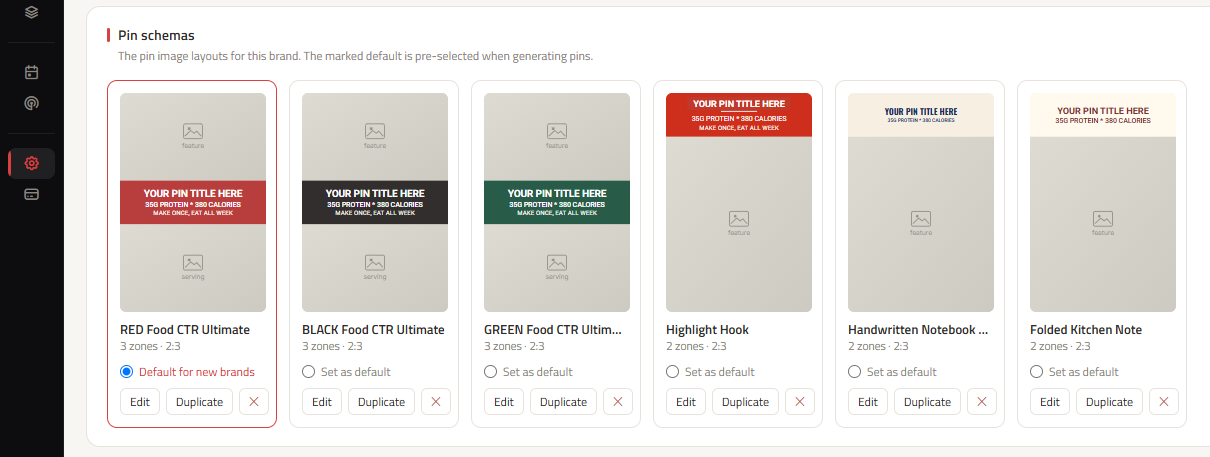
Pinterest's visual search algorithm penalizes distorted or awkwardly cropped images. All image prompts generated in ClickToPin enforce standard Pinterest Pin size specifications (2:3 aspect ratio, 1000 x 1500 pixels).
Our prompt builder automatically reserves the top third of the visual canvas as a clean negative-space zone, ensuring that your 3-line text overlay remains crisp, readable, and uncluttered on mobile screens.
How to generate and deploy Pinterest image prompts
- Research search demand: Find profitable topics with the Pinterest Keyword Research Tool.
- Develop marketing angles: Brainstorm 5 distinct directions with the Pinterest Pin Ideas Generator.
- Assemble coordinated copy: Draft titles, descriptions, and 3-line overlays in Pinterest Pin Copy.
- Generate multi-zone prompts: Use ClickToPin's image engine to generate tailored prompts for your brand's AI provider.
- Render and schedule: Create the finished graphic via the Pinterest Pin Generator and schedule manual posting in the Pinterest Content Planner.
Frequently asked questions
Which AI image models work best with Pinterest prompts?
Models like Midjourney v6, FLUX.1, and Stable Diffusion SDXL work exceptionally well. They understand natural language prompts, realistic texture rendering, and the --ar 2:3 aspect ratio command required for vertical pins.
Can I upload my own photos instead of using AI prompts?
Yes. ClickToPin allows you to upload your own custom photography or graphics while still utilizing our automated headline overlays, copy packages, and manual scheduling tools.
Does ClickToPin post my generated images automatically?
No. All generated images and metadata are stored in your Planner for intentional manual publishing.
Generate AI image prompts for Pinterest
Create stunning, vertical 2:3 visuals with tailored text safe zones and grow your organic impressions on Pinterest.